feedback-kitty
Installation Manual—Feedback Kitty
Article
1. Getting Project ID
- Click on Feedback Kitty app from apps section of shopify.
- If you are first time user, you will be welcomed with intro page,click on Launch button. Or skip the step.
- Go to installation ⇾ Copy your project ID, That's it.
We have demonstrated the installation process in much easier way with image & steps for new users.
2. Enabling App
- Go to Theme settings
- Click on App embeds
- Select Feedback Kitty and Enter your copied project ID.
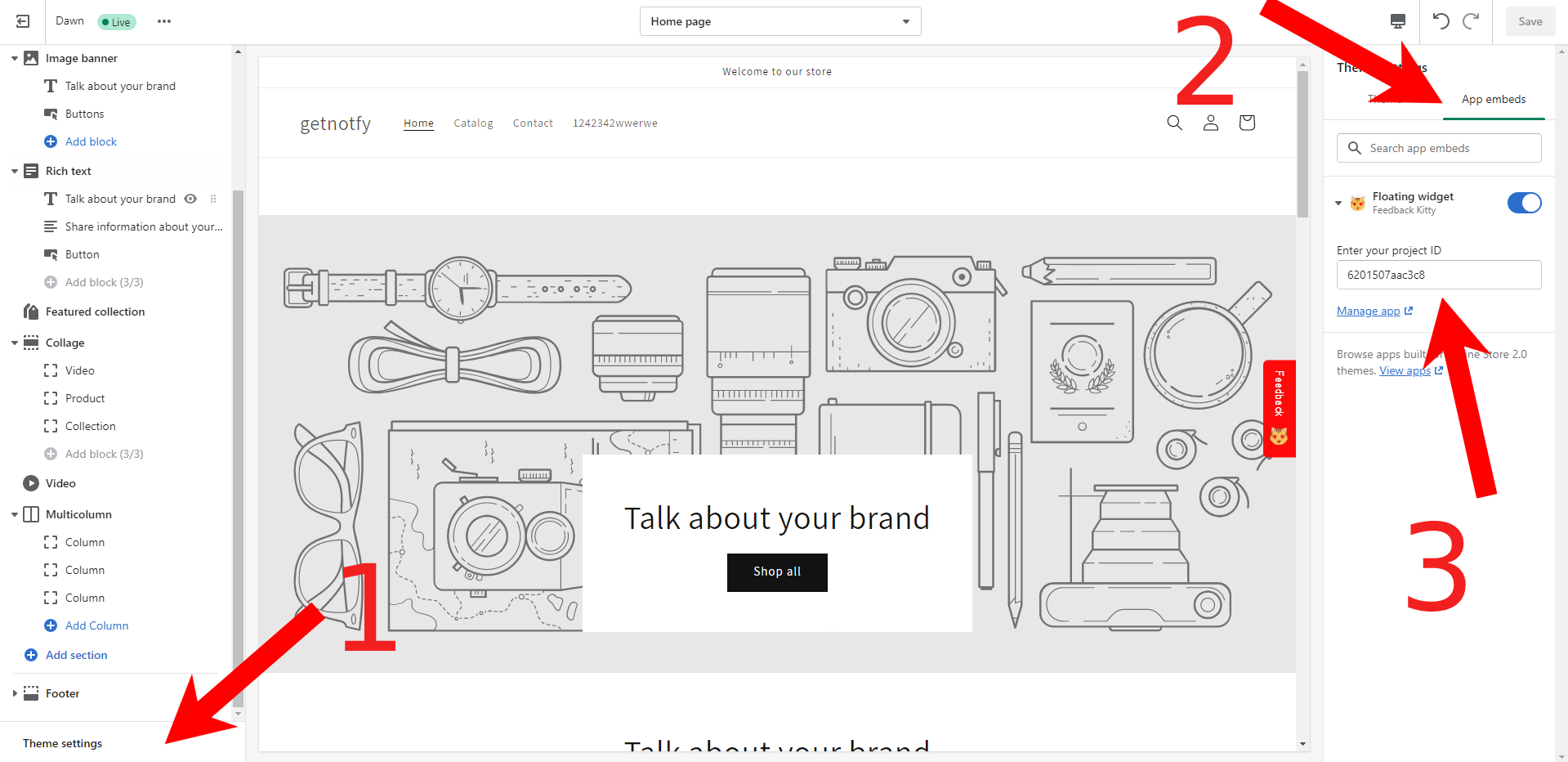
Finally, go to store link (https://getnotfy.myshopify.com),the widget is ready to collect feedback to the added project ID.